
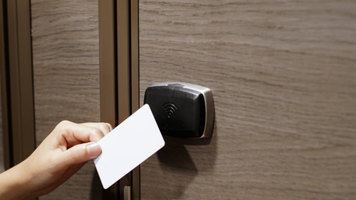
Why Your Card Reader Isn't Detecting Your Card
22nd Jul 2026
Nothing is more frustrating than presenting your access card to a reader only to have nothing happen. Whether you're trying to enter your office, school, apartment building, or another secure facility, a card that won't read can slow you down and create unnecessary security concerns.
The good news is that the problem isn't always the card itself. Several factors can prevent a card reader from recognizing your credential. Understanding the most common causes can help you determine whether you need a replacement card, a new reader, or assistance from your access control administrator.
1. The Card Is Damaged
Physical damage is one of the most common reasons an access card stops working.
While proximity and smart cards are designed to be durable, they can still become damaged over time. Cracks, bends, excessive wear, or exposure to moisture may damage the internal antenna or chip, preventing the reader from communicating with the card.
If your card has visible damage, replacing it is often the best solution.
2. You're Using the Wrong Type of Card
Not all access cards work with every reader.
There are many credential technologies available, including:
- 125 kHz proximity cards
- 13.56 MHz smart cards
- Multi-technology credentials
- Mobile credentials
A reader designed for one technology may not recognize another. Before ordering replacement cards, verify the credential technology your access control system requires.
3. The Reader Is Malfunctioning
Sometimes the issue isn't your card at all.
Card readers experience wear from constant daily use and may fail due to:
- Internal component failure
- Water damage
- Dirt or debris
- Power or wiring issues
If multiple users are unable to access the same reader, the reader itself may need inspection or replacement.
4. The Card Has Been Deactivated
Many organizations disable credentials when:
- An employee leaves the company
- A card is reported lost or stolen
- Access permissions change
- A temporary credential expires
Even though the card appears to be in perfect condition, it will no longer be recognized if it has been removed from the access control system.
Contact your security administrator to verify your card is still active.
5. The Card Was Programmed Incorrectly
Replacement access cards must match your existing system's programming.
Incorrect card numbers, facility codes, site codes, or credential formats can prevent a reader from recognizing the card.
When ordering replacement credentials, always provide your supplier with the information from an existing working card whenever possible.
6. You're Presenting the Card Incorrectly
Different readers have different read ranges.
For best results:
- Hold the card flat against the reader.
- Keep it within the recommended reading distance.
- Wait briefly for the reader to respond before removing the card.
If your wallet contains multiple RFID cards, they can interfere with each other. Try removing the access card from your wallet before presenting it to the reader.
7. Interference Is Affecting the Signal
RFID communication can sometimes be affected by nearby materials or electronics.
Common sources of interference include:
- Metal surfaces
- Electronic devices
- Multiple RFID cards stacked together
- Protective sleeves that block RFID signals
Using the card by itself often resolves this issue.
8. The Access Control System Is Offline
Even if both the card and reader are functioning properly, communication problems within the access control system can prevent access.
Possible causes include:
- Network outages
- Controller failures
- Software issues
- Power interruptions
If several readers throughout the facility stop working at the same time, the issue is likely with the overall system rather than individual credentials.
How to Troubleshoot a Card That Won't Read
Before replacing your card, try these simple steps:
- Test your card at another reader if available.
- Check the card for visible cracks, bends, or other damage.
- Remove the card from your wallet or badge holder and try again.
- Ask a coworker to test their card on the same reader.
- Contact your access control administrator to verify the card is still active.
- Confirm your replacement card was programmed correctly if it is newly issued.
These steps can quickly help determine whether the problem lies with the card, the reader, or the access control system.
Preventing Future Card Problems
To extend the life of your access cards:
- Avoid bending or punching holes through embedded antennas.
- Store cards away from extreme heat and moisture.
- Use a protective badge holder.
- Replace worn or damaged cards promptly.
- Order replacement credentials from a trusted supplier to ensure compatibility with your existing system.
Need Replacement Access Cards?
If your card has stopped working due to damage or wear, replacing it with a compatible credential is often the quickest solution. Be sure to match your existing card's technology, format, and programming requirements to ensure it works seamlessly with your access control system.
Whether you need replacement proximity cards, smart cards, or custom-programmed credentials, choosing the correct card helps keep your facility secure while minimizing disruptions for employees and visitors. Contact us today to speak with one of our credential specialists and find the right replacement cards for your access control system.