
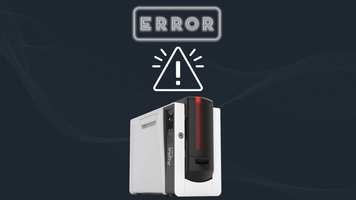
Noisy ID Card Printer? Here’s What It Means and How to Fix It
16th Dec 2025
An ID card printer plays an essential role in many organizations, producing employee badges, student IDs, visitor passes, and more. When it suddenly begins making loud or unusual sounds, it can interrupt your workflow and signal that something isn’t functioning correctly. Sometimes the fix is simple; other times, the noise may be a warning of a more serious mechanical issue.
In this blog, we’ll break down the most common reasons ID card printers get noisy and walk you through troubleshooting steps to help restore quiet, reliable operation.
Common Reasons ID Card Printers Make Loud Noises
1. Dirty or Worn Rollers- Rollers naturally collect dust, debris, and card residue with regular use. Once they become dirty or start to wear down, the printer may squeal, squeak, or grind as it feeds cards. This is often an early sign that it’s time for a cleaning or replacement.
2. Card Jams or Misalignment- Cards that are inserted incorrectly or become stuck inside the printer can cause clicking, grinding, or whirring sounds as the printer tries to move them along. Always confirm your cards meet the recommended specifications and check for jams if you hear unusual noises.
3. Ribbon or Film Problems -If the ribbon, transfer film, or laminate is loose, torn, or not aligned properly, the printer may make popping, snapping, or rubbing noises. Reinstalling or swapping the ribbon is often enough to fix this issue.
4. Internal Gears or Mechanical Wear -A printer contains many moving components working together. When a gear becomes damaged or worn down, you may hear rattling or clunking noises. These issues typically require professional attention and possibly replacement parts.
5. Incorrect Media or Settings- Using cards that are the wrong thickness or choosing the wrong media settings can put unnecessary strain on the printer. Always make sure your card type and ribbon are supported by your specific printer model.
How to Troubleshoot a Noisy ID Card Printer
If your printer starts making louder-than-normal sounds, try the following steps:
- Stop printing right away - Continuing to run the printer may make the issue worse.
- Check for jams - Open the input and output hoppers and interior compartments to look for stuck cards or misfed ribbons.
- Clean the printer - Use a manufacturer-approved cleaning kit to clear dust and buildup from rollers and internal parts.
- Inspect your ribbon - Ensure it is seated properly, feeding smoothly, and not torn.
- Double-check your settings - Confirm your chosen card type, thickness, and ribbon settings match what the printer supports.
- Refer to your manual - Some noises are normal during startup or calibration—your manual will clarify what’s expected.
- Reach out for service - If the noise persists after cleaning and basic checks, the issue may require professional repair.
Contact us today
Some sound during printing is normal, but loud or unusual noises are a clear sign that something needs attention. Addressing problems early can prevent bigger repairs and extend the life of your printer. Regular maintenance and routine cleaning are the best ways to avoid noise-related issues altogether.
If your ID card printer continues to make loud or concerning sounds, our service team is ready to help. Contact us for expert troubleshooting and repair to keep your printer operating smoothly and quietly.